Skip to content
Kanso

Notes, kept simple

Write it down.
Keep it yours.

Kanso is a calm, fast Markdown notebook for Mac, Windows and Linux. Your notes live on your computer and sync between your devices end-to-end encrypted.

Download Kanso

Version 0.5.1 · free and open source · macOS, Windows and Linux

Kanso's main window: notebooks on the left, a list of notes, and a note in split view with its Markdown beside the rendered page.
Fig. 00Notebooks, notes and the page, with the Markdown beside what it renders.

What Kanso promises

  1. Yours, on your computer.

    Your notes are Markdown, kept on your own machine, and everything works offline. An account is only for keeping your devices in step.

  2. Encrypted before it leaves.

    Notes, titles, tags and files are sealed on your device with a key only your devices hold. The server stores ciphertext and can't read a word of it.

  3. Native, and quick about it.

    Written in Rust and drawn by your graphics card, with no web browser hiding inside. It feels like the rest of your computer.

End-to-end encryption, shown

This is all our server ever sees.

Type in the note below. It's sealed right here in your browser as you type, the way Kanso seals every note before it syncs. Nothing on this page is sent anywhere.

175 bytes
What the server storessealing…

Key ········ never leaves this tab

This demonstration uses your browser's AES-256-GCM. The app seals what it syncs with XChaCha20-Poly1305, under a key only your devices hold. What the server can and can't see

Inside Kanso

Everything a note needs.
Nothing it doesn't.

01Write

Markdown that keeps out of your way.

Brackets and quotes pair as you type. Lists carry on when you press Return and indent with Tab. Tables line themselves up while you edit them. Paste a link and it becomes Markdown; paste code and it stays code.

  • Focus mode and typewriter scrolling
  • A word goal for each note
  • Vim keys, if you want them
  • Themes, light and dark
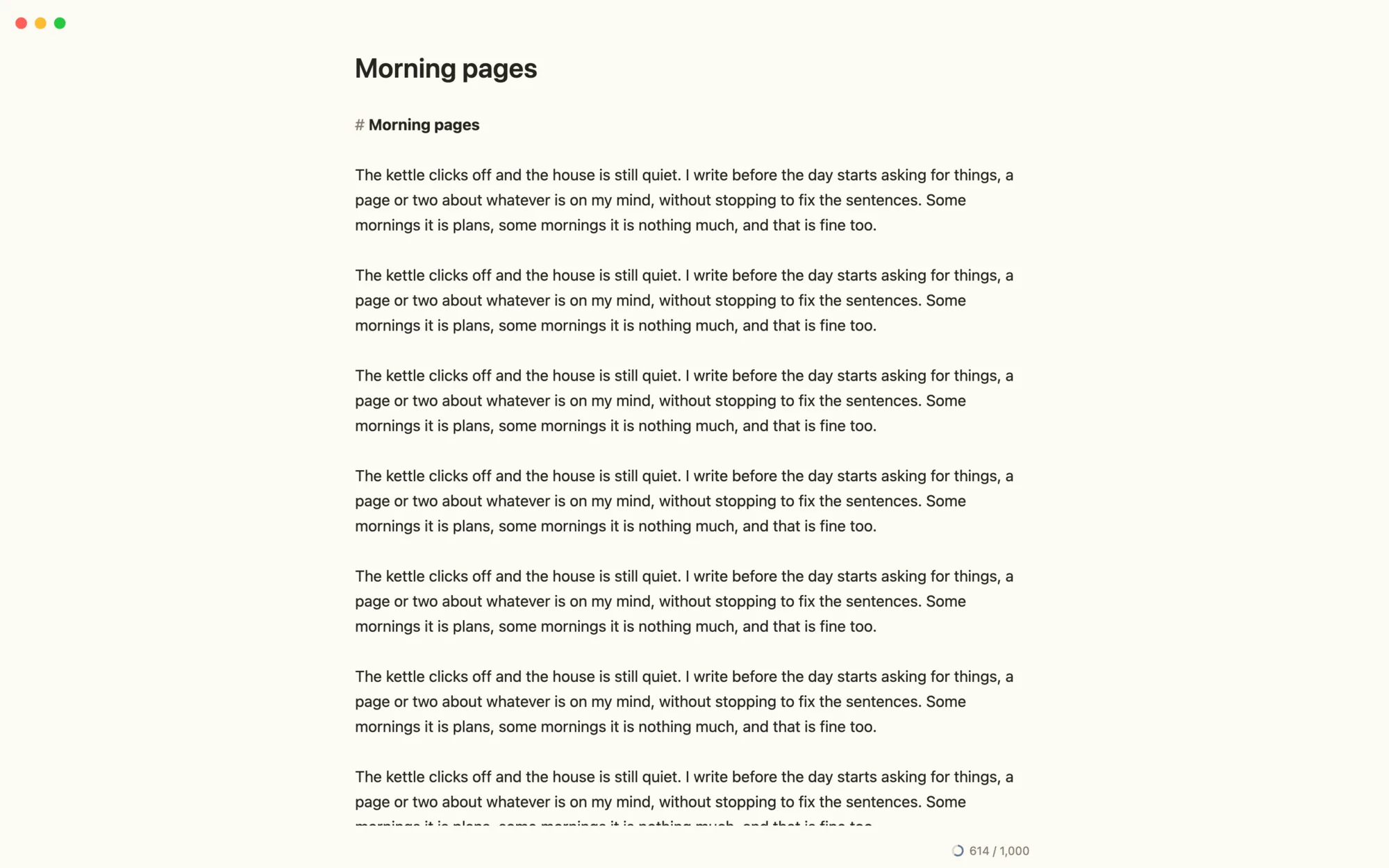
Kanso in focus mode: a page of writing with a word count of 614 out of 1,000.
Fig. 01Focus mode hides everything but the page. The ring counts toward today's goal.

03Capture

From a thought to a note in two keys.

Press ⌃⌥Space anywhere and a quick note opens over whatever you're doing. ⌘↩ files it in your Inbox and you're back where you were. ⌘D opens today's page in your journal, and templates fill in the date, the time and the title for you.

  • Quick capture from any app
  • A daily note, one key away
  • Templates with {{date}} and {{title}}
  • Nested tags like #home/garden
Kanso's quick note window with a short note about a lease, filed to the Inbox.
Fig. 03The quick note window, over any app.

04Plan

Tasks live where you wrote them.

Give any checkbox a date, like - [ ] Send the draft @2026-10-25, and it appears in Tasks under overdue, today or coming up. Reminders arrive as notifications, and ticking a task off in the list ticks it in the note.

  • Due dates in plain text
  • A Tasks view across every note
  • Reminders as notifications
Kanso's Tasks view: overdue, today and upcoming tasks gathered from every note.
Fig. 04Tasks from every note in one list, beside the note they came from.

05Explain

Diagrams, maths and drawings, in plain text.

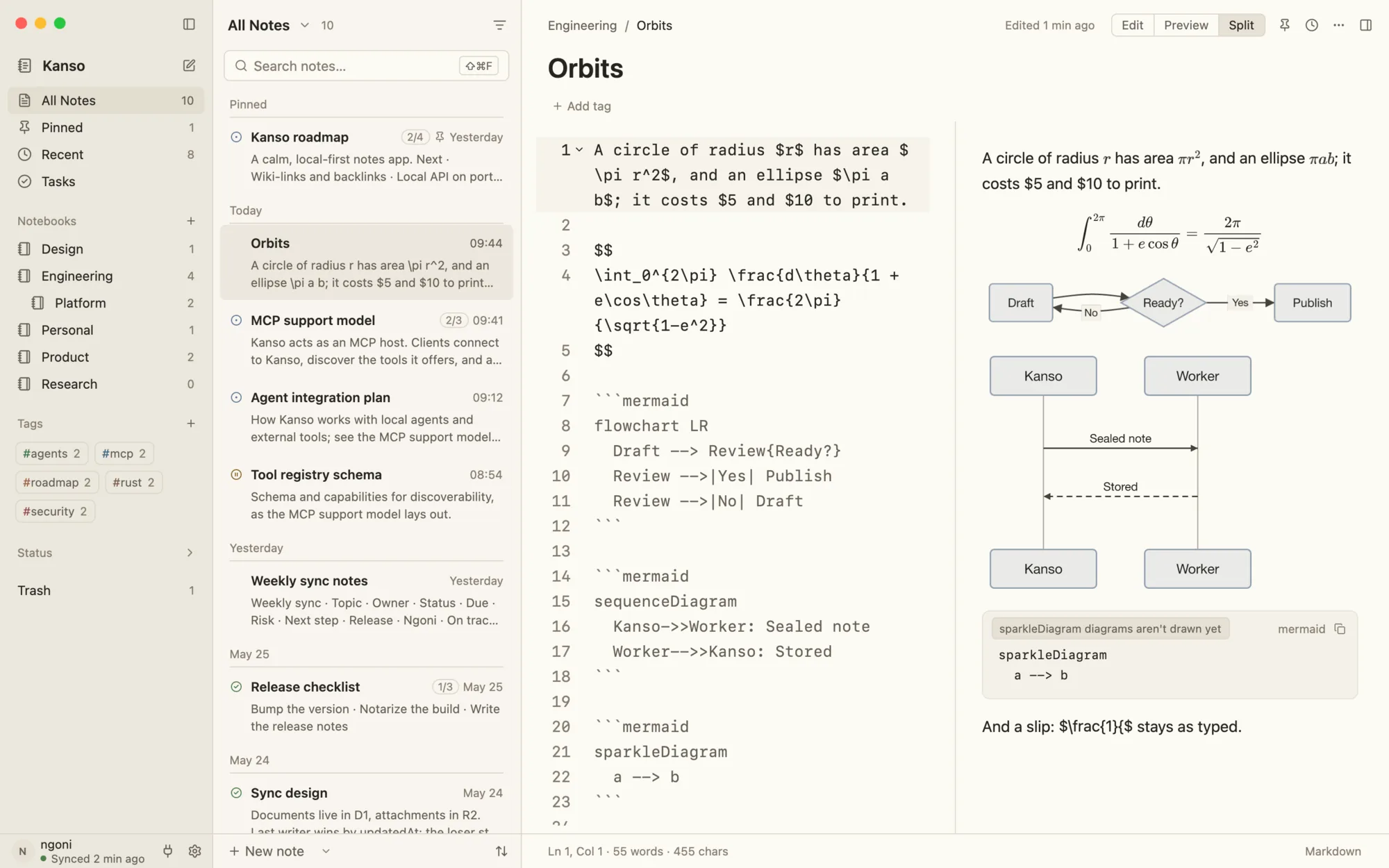
Mermaid diagrams, maths and Excalidraw drawings render right in the preview, in your note's theme. Images resize with a drag, or with ![alt|300] in the Markdown. It's all still text you can read anywhere.

  • Mermaid flowcharts and sequences
  • Maths, inline and in blocks
  • Excalidraw drawings
  • Export to a web page or PDF
A note in split view: Markdown on the left, rendered maths and Mermaid diagrams on the right.
Fig. 05Split view: the Markdown and what it draws, side by side.

06Find

Find anything. Change everything at once.

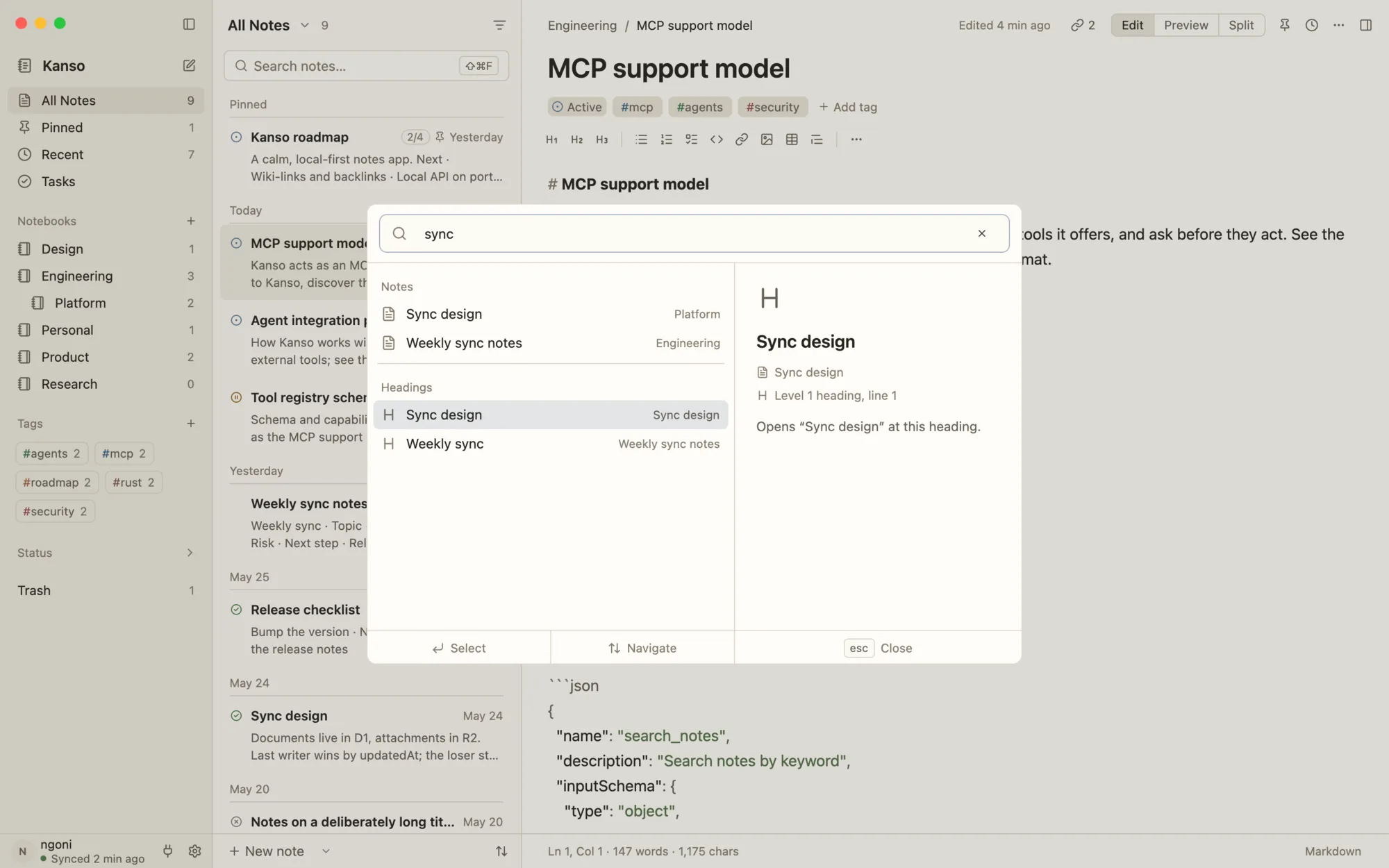
⌘P jumps to any note by its title or by a heading inside it. Search narrows by notebook, tag and status. Find and replace works across every note and undoes in one step. On a Mac, even the words in your screenshots and photos are searchable.

  • Jump by title or heading
  • Search with filters
  • Replace across every note
  • Text in images, on macOS
Kanso's quick open listing notes and the headings inside them.
Fig. 06Quick open matches headings inside notes as well as titles.

07Remember

Every version, kept.

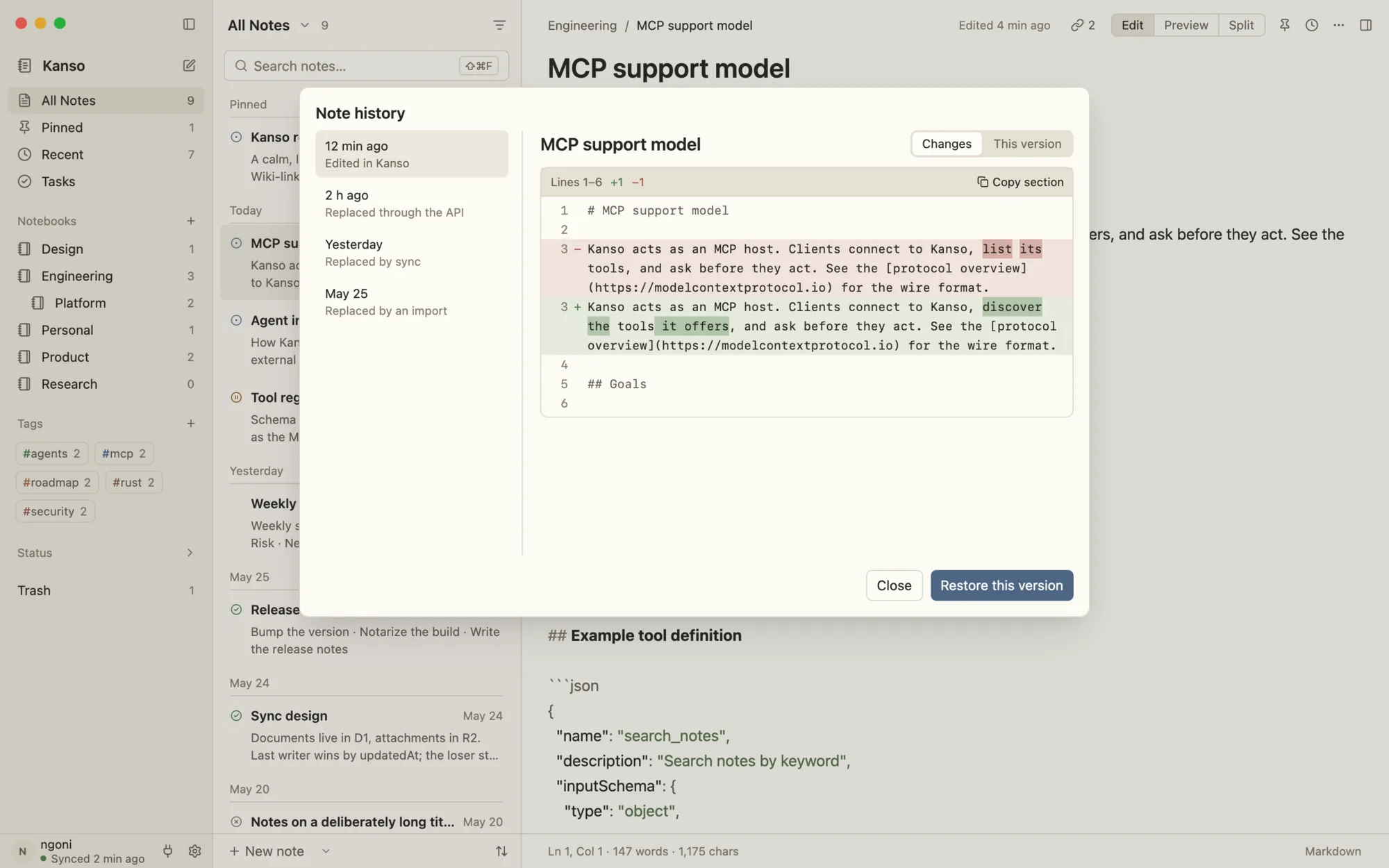
Each note keeps its earlier versions and shows exactly what changed since each one. Restore any of them with a click. The whole library is backed up every day, on your computer.

  • History for every note
  • What changed, line by line
  • Daily backups
A note's version history with the changes since an earlier version highlighted.
Fig. 07A note's history, with what changed since the version you picked.

08Share

Publish a note. Keep the key.

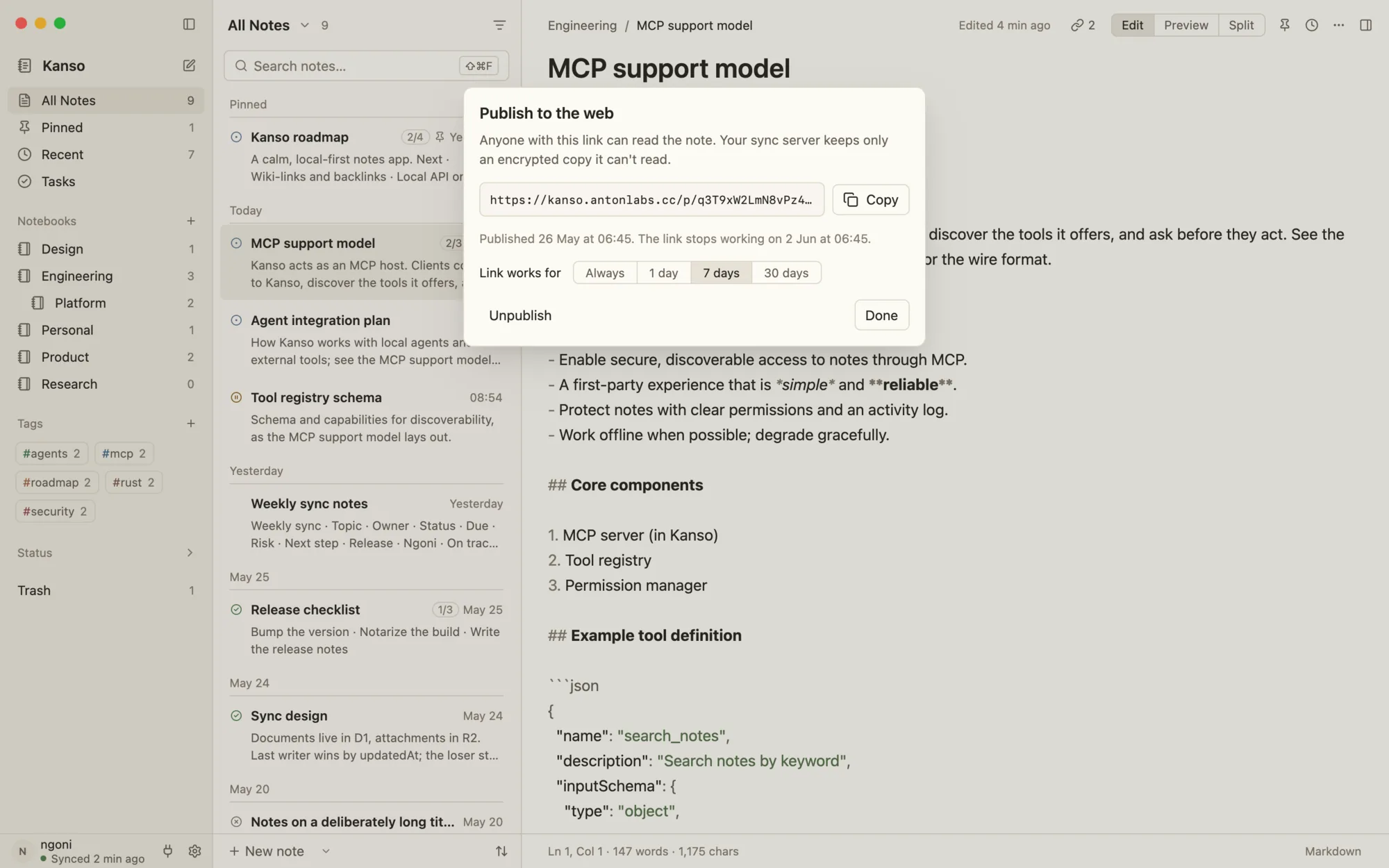
Turn a note into a web page that anyone with the link can read. It's encrypted before it leaves your computer, and the key lives only in the link, so the server holding the page can't read it. Links are short and preview with the note's title.

  • End-to-end encrypted pages
  • Short links that preview nicely
  • Update or unpublish any time
Kanso's publish sheet showing a note's link and when it was published.
Fig. 08The publish sheet: copy the link, update the page, or take it down.

For your agents

Your notes, ready for your agents.

Kanso runs a local API and an MCP server on your own computer. Point Claude, Codex, Cursor or any MCP client at it, and they can search, read and write your notes, on 127.0.0.1, with your password, never through a cloud.

claude mcp add --transport http kanso http://127.0.0.1:19840/mcp \
  --header "Authorization: Basic $(printf '%s' 'USERNAME:PASSWORD' | base64)"

Your API username and password are in Settings › Local API. Twenty-four tools cover notes, notebooks, tags and files, plus outlines, tasks, templates, daily notes and related notes.

Open source

Free, and staying that way.

Kanso is free software under the AGPL-3.0. Read the code, open an issue, send a pull request: it gets better every week. Would you rather hold your own data? The sync server is one Cloudflare Worker you can run on your own account.

Begin with a blank page.

Kanso works offline, updates itself, and costs nothing.

Download Kanso

Version 0.5.1 · free and open source · macOS, Windows and Linux

Every build, with checksums